

아웃풋 이미지
이미지를 해당 영역에 넣어주세요
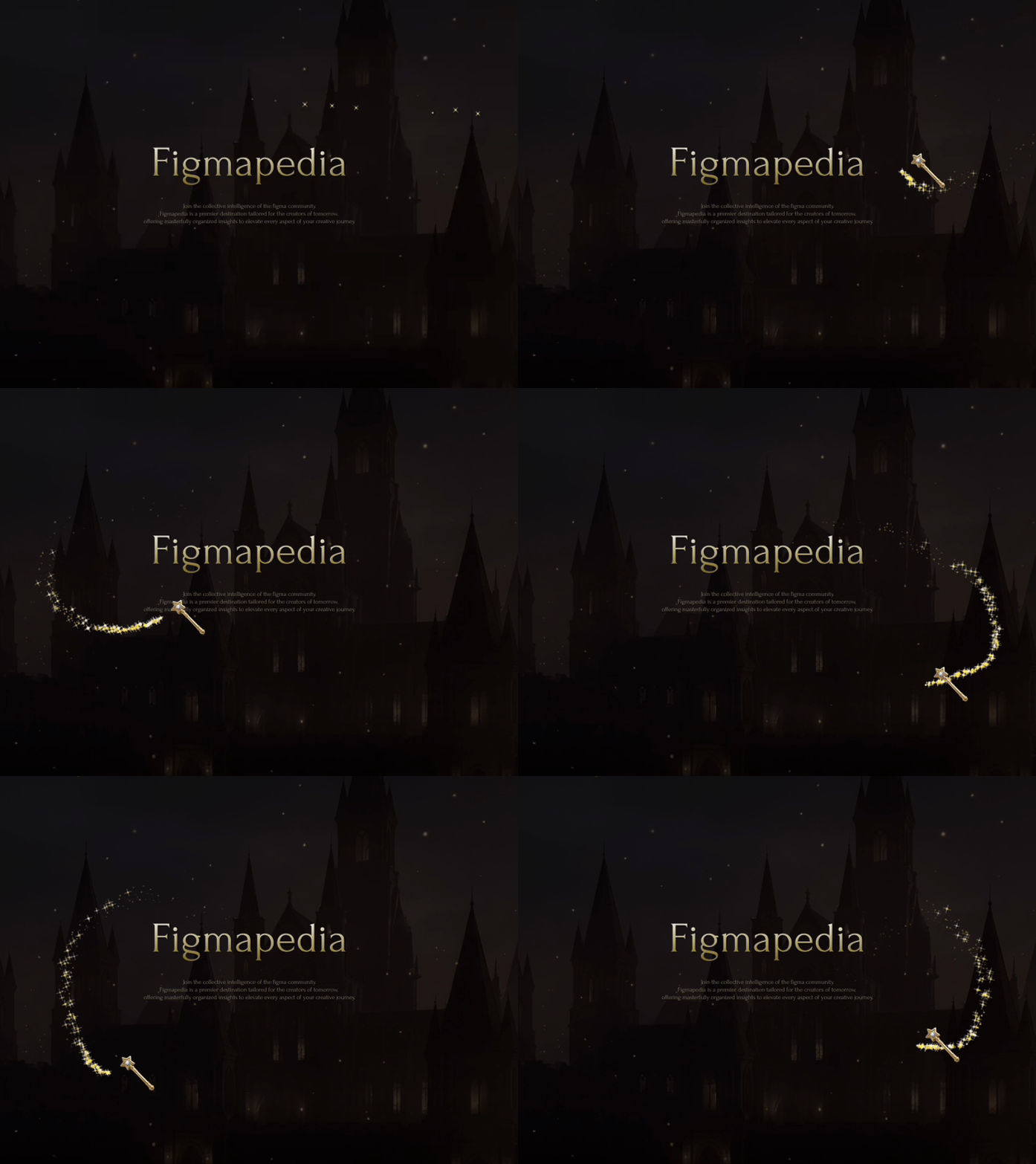
프롬프트
TIP
아래에 준비된 이미지 배경과 커스텀 커서 이미지를 적용해서 사이트를 꾸며보세요!
//interface Particle {
x: number;
y: number;
vx: number;
vy: number;
life: number;
size: number;
color: string;
decay: number;
}
//
import React, { useEffect, useRef } from 'react';
import { Particle } from '../types';
const SparkleCursor: React.FC = () => {
const canvasRef = useRef<HTMLCanvasElement>(null);
const particles = useRef<Particle[]>([]);
const requestRef = useRef<number>(0);
const mouseRef = useRef<{ x: number; y: number }>({ x: 0, y: 0 });
const lastMouseRef = useRef<{ x: number; y: number }>({ x: 0, y: 0 });
// Configuration
const GOLD_PALETTE = [
'rgba(255, 215, 0, 1)', // Gold
'rgba(255, 223, 0, 1)', // Golden Yellow
'rgba(218, 165, 32, 1)', // Goldenrod
'rgba(255, 250, 205, 1)', // Lemon Chiffon (bright highlight)
];
const createParticle = (x: number, y: number): Particle => {
const angle = Math.random() * Math.PI * 2;
const speed = Math.random() * 0.5 + 0.2;
const size = Math.random() * 3 + 1; // Size between 1 and 4
return {
x,
y,
vx: Math.cos(angle) * speed,
vy: Math.sin(angle) * speed + 0.5, // Slight gravity
life: 1.0,
size,
color: GOLD_PALETTE[Math.floor(Math.random() * GOLD_PALETTE.length)],
decay: Math.random() * 0.02 + 0.015,
};
};
const animate = (time: number) => {
const canvas = canvasRef.current;
if (!canvas) return;
const ctx = canvas.getContext('2d');
if (!ctx) return;
// Clear canvas
ctx.clearRect(0, 0, canvas.width, canvas.height);
// Interpolate mouse movement to fill gaps if mouse moves too fast
const dist = Math.hypot(mouseRef.current.x - lastMouseRef.current.x, mouseRef.current.y - lastMouseRef.current.y);
const steps = Math.min(dist, 20); // Limit interpolation steps
if (dist > 1) {
for (let i = 0; i < steps; i++) {
const t = i / steps;
const x = lastMouseRef.current.x + (mouseRef.current.x - lastMouseRef.current.x) * t;
const y = lastMouseRef.current.y + (mouseRef.current.y - lastMouseRef.current.y) * t;
// Add randomness to spawn
if (Math.random() > 0.5) {
particles.current.push(createParticle(x + (Math.random() - 0.5) * 5, y + (Math.random() - 0.5) * 5));
}
}
}
lastMouseRef.current = { ...mouseRef.current };
// Update and draw particles
for (let i = particles.current.length - 1; i >= 0; i--) {
const p = particles.current[i];
// Physics
p.x += p.vx;
p.y += p.vy;
p.life -= p.decay;
// Draw
if (p.life > 0) {
ctx.beginPath();
ctx.arc(p.x, p.y, p.size * p.life, 0, Math.PI * 2);
ctx.fillStyle = p.color.replace('1)', `${p.life})`); // Fade out alpha
ctx.fill();
// Optional: Add a "shine" cross for larger particles
if (p.size > 2.5 && p.life > 0.5) {
ctx.save();
ctx.translate(p.x, p.y);
ctx.rotate(time * 0.005);
ctx.fillStyle = `rgba(255, 255, 255, ${p.life * 0.8})`;
ctx.fillRect(-p.size * 2, -0.5, p.size * 4, 1);
ctx.fillRect(-0.5, -p.size * 2, 1, p.size * 4);
ctx.restore();
}
} else {
particles.current.splice(i, 1);
}
}
requestRef.current = requestAnimationFrame(animate);
};
useEffect(() => {
const canvas = canvasRef.current;
if (!canvas) return;
const handleResize = () => {
canvas.width = window.innerWidth;
canvas.height = window.innerHeight;
};
const handleMouseMove = (e: MouseEvent) => {
mouseRef.current = { x: e.clientX, y: e.clientY };
};
window.addEventListener('resize', handleResize);
window.addEventListener('mousemove', handleMouseMove);
// Initial size
handleResize();
// Initialize last mouse position
lastMouseRef.current = { x: window.innerWidth / 2, y: window.innerHeight / 2 };
mouseRef.current = { x: window.innerWidth / 2, y: window.innerHeight / 2 };
requestRef.current = requestAnimationFrame(animate);
return () => {
window.removeEventListener('resize', handleResize);
window.removeEventListener('mousemove', handleMouseMove);
cancelAnimationFrame(requestRef.current);
};
// eslint-disable-next-line react-hooks/exhaustive-deps
}, []);
return (
<canvas
ref={canvasRef}
className="pointer-events-none fixed inset-0 z-[9999]"
style={{ touchAction: 'none' }}
/>
);
};
export default SparkleCursor;
JavaScript
복사